ABC Anonymize · Black-out · Conceal

⚠️
Simple, private, and truly redacts. Know the trade-offs. Everything runs in your browser (your file is never uploaded). To guarantee the hidden text is really gone, the output is rebuilt from page images, so the exported PDF loses selectable text, form fields, and bookmarks, and scanned PDFs cannot be text-searched. Read the full limits.
📄

Drop a PDF here, or click to choose

Then search text or drag to select areas (like an address) and black them out, for real.

Max file size 25 MB · up to 100 pages

How to use
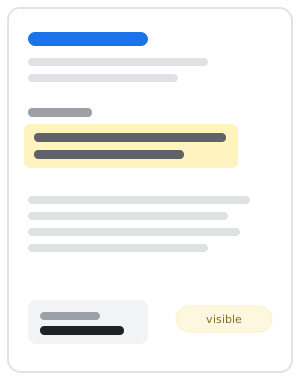
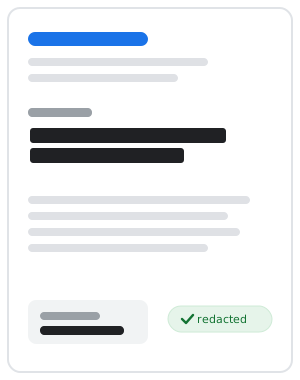
Bill before redaction, address visible
Before: sensitive info visible
Bill after redaction, address blacked out
After: truly redacted

Quick start: open a PDF, find or select what to hide, then download. The exported file is rebuilt from images, so hidden text is permanently gone.

🔍 SearchFinds your term and highlights every match. Nothing is redacted yet. Jumps to the first match.
NextJumps to the next match to review it. Highlight only, no redaction.
Mark nextBlacks out the current match, then moves to the next one.
Mark allBlacks out every match of the search term at once.
Drag on a pageDraw a black box over any area (photos, logos, signatures, scanned text).
✕ on a boxRemoves that single redaction box.
Remove lastUndoes the most recently added redaction box.
Clear allRemoves every redaction box so you can start over.
Download redacted PDFExports the final image-based PDF with all boxes permanently applied.

Tip: after downloading, open the file and try to select or search the hidden text. It should be gone.

Working…